Streaming bonus categories on credit cards: which services count?
Which streaming services earn bonus rewards on Amex, Chase, Capital One and Wells Fargo cards, and why paying via an app store or phone bundle costs you.

A streaming bonus applies only to the services your issuer names, and only when you pay that service directly. Chase publishes a list of 18 qualifying services, including Netflix, Hulu, Disney+, Spotify and YouTube TV. The Blue Cash Preferred® Card from American Express pays 6% on U.S. streaming subscriptions from select providers, but its terms warn that a subscription bundled with something else or billed by a third party, such as a digital platform or a phone or internet provider, may not qualify. If you pay for Netflix through your app store or get it bundled with your phone plan, you may be earning the base rate without knowing it.
How streaming purchases are coded
Visa’s merchant manual says merchants offering online streaming of digital media on a subscription basis should use code 4899, the same code used for cable, satellite and other pay TV and radio. One-off digital purchases, such as buying a movie or an album, fall under 5815, digital goods media.
That shared code explains a lot. A streaming service can earn the bonus while the cable company next to it on the same code doesn’t, because issuers often reward a list of named merchants rather than the whole code. Chase says so directly: only subscriptions or purchases with the select merchants on its list qualify.
Which services count, by card
These are the published rules at the time of writing.
| Card | Streaming rate | Which services |
|---|---|---|
| Blue Cash Preferred® Card from American Express ($95) | 6% | Select U.S. providers; Amex publishes the current list at americanexpress.com/rewards-info |
| Chase Sapphire Preferred® ($95) | 3x | Chase’s select streaming list (below) |
| Capital One Savor ($0) | 3% | “Popular” streaming services; Capital One names Netflix, Hulu and Disney+ |
| Wells Fargo Autograph® ($0) | 3x | Popular streaming services; Wells Fargo describes the category by merchant type, not by name |
| U.S. Bank Altitude® Go ($0) | 2x | Streaming services |
| U.S. Bank Cash+® ($0) | 5% if chosen | “TV, internet and streaming” is one of the quarterly 5% choices, within the $2,000 combined quarterly cap |
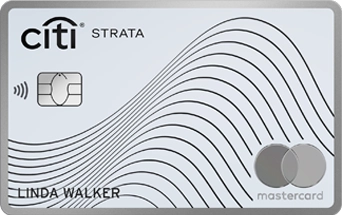
| Citi Strata Card ($0) | 3x | One self-select category, which defaults to select streaming services |
| Disney® Premier Visa® Card ($49) | 5% | Only purchases made directly at DisneyPlus.com, Hulu.com or Stream.ESPN.com |
Chase’s list of select streaming services
Chase’s Rewards Category FAQ lists these services: Apple Music, Apple TV, Disney+, ESPN+, Fubo TV, Max, Hulu, Netflix, Pandora, Paramount+, Peacock, Showtime, SiriusXM, Sling, Spotify, YouTube Premium, YouTube TV and Vudu.
A service that isn’t on the list, even a large one, earns the base rate on Chase’s streaming categories. Chase’s Sapphire Preferred page points to this FAQ for its “select top services.”
The catch: who bills you
The merchant that charges your card matters as much as the service you watch.
- App stores and digital platforms. If you subscribe through an app store or another platform, the charge comes from that platform, not the streaming service. Amex lists “a digital platform” as a third-party biller that can make a subscription ineligible. Wells Fargo’s streaming terms say the same.
- Bundles with your phone, internet or cable plan. If a streaming service comes with your wireless or internet plan, it is billed by the carrier. Amex names cable, telecommunications and internet providers as third-party billers. The charge may still earn something if your card rewards phone or internet bills, but not the streaming rate.
- In-car subscriptions. Amex lists car manufacturers among third-party billers, and Wells Fargo mentions in-vehicle streaming services.
- Bundled products. Amex and Wells Fargo both say a subscription bundled with another product, membership or service may not qualify. A streaming service that comes as part of a shopping membership, for example, is billed as that membership.
The fix is simple: subscribe on the streaming service’s own website and pay it directly with the card. The Disney Premier card makes this explicit by limiting its 5% to purchases made directly at the three Disney-owned sites.
Is a streaming card worth it?
Do the math on your actual bills. Say you pay $60 a month for three services, $720 a year.
- Blue Cash Preferred at 6%: $43.20 a year, if all three are on Amex’s list and billed directly.
- Savor or Autograph at 3%: $21.60.
- 2% flat-rate card: $14.40.
The gap between the best streaming card and a flat-rate card is about $29 a year on this spending. That alone doesn’t justify a $95 annual fee. A streaming bonus is worth having when it comes with a card you’d hold anyway, such as the Blue Cash Preferred for its 6% at U.S. supermarkets, or the no-fee Savor for dining and groceries.
How to check a service before you subscribe
- Find your issuer’s list. Chase and Amex publish named lists; Capital One and Wells Fargo give examples or merchant types.
- Look at who bills you. On your statement, the merchant name tells you whether the service bills directly or through a platform or carrier.
- Move the billing if needed. Cancel through the app store and resubscribe on the service’s site, or pay the carrier-bundled service separately, if the bonus is worth the effort.
Streaming shares a merchant code with cable TV, so the same logic applies to paying phone and internet bills with a card. And because paying through a wallet or app can change what you earn, our guide to mobile wallet bonus rewards is worth a read too.
Cards in this article
 American ExpressBlue Cash Preferred Card from American ExpressAs high as $300 cash back
 ChaseChase Sapphire Preferred75,000 points
 Capital OneSavor Rewards$200 bonus
 Capital One
 Wells FargoWells Fargo Autograph20,000 points
 U.S. BankU.S. Bank Cash+ Visa Signature$200 bonus
 U.S. Bank
 U.S. BankU.S. Bank Altitude Go Visa Signature20,000 points
 ChaseDisney Premier Visa$300 bonus
 CitiCiti StrataSee Citi for bonus
 Citi
Sources
- Chase: Rewards Category FAQ (select streaming services)
- Chase Sapphire Preferred product page
- American Express: Blue Cash Preferred Cardmember Agreement, reward program supplement
- Capital One: Savor card, what to know
- Wells Fargo: Autograph popular streaming services
- U.S. Bank Cash+ Visa Signature Card
- Visa Merchant Data Standards Manual